Washer/Dryer Machine
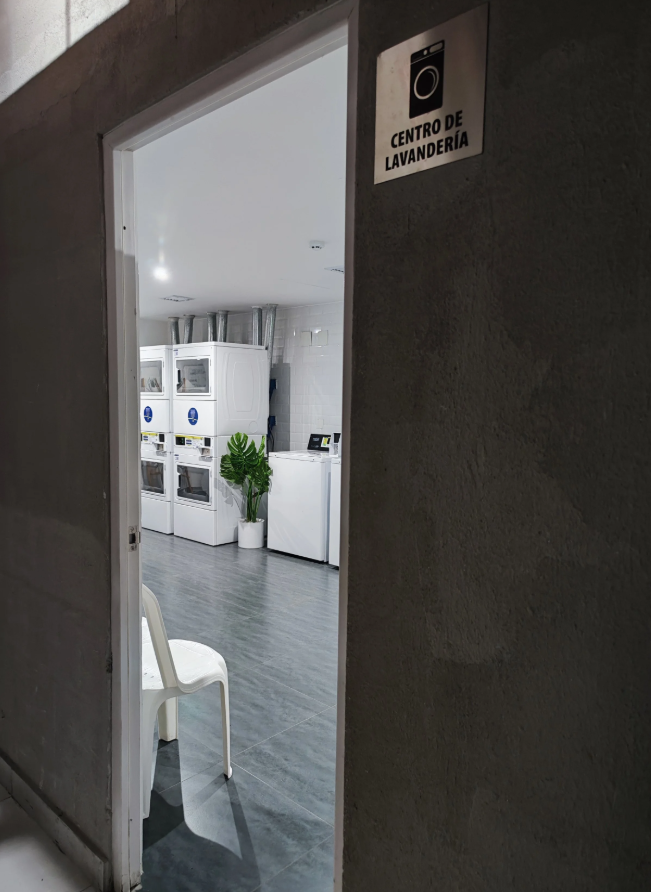
The building features an exclusive laundry area equipped with all the conveniences for you to carry out your laundry and drying process.
- Don't worry about the detergent! We provide each guest with Liquid Detergent, which you can find in the bottom drawer under the kitchen sink.
- It's important to mention that the laundry machines only accept liquid detergent. Under no circumstances should powdered detergent be used.
- Please remember that the Laundry Room, as well as its equipment, is part of a shared space and should be treated and used with care to maintain their proper functioning. We kindly ask you to follow the instructions we provide, as well as those posted within the area.
Laundry Room
The building has a common Laundry area located on Basement 1 (coming out of the elevator, on the right-hand side).
Price Chart
| Cost | In Dollars | In Peruvian Soles |
|---|---|---|
| Per Charge | $2.20 (around) | S/ 8.00 |
Step 1
Download the "Pronto Pay" application from the AppStore y Google Play.
ProntoPay Perú on the App Store
ATTENTION: Only for use in participating laundry locations. ProntoPay Perú is an iPhone application providing the easiest and smartest complete laundry soluti…


ProntoPay Perú - Apps on Google Play
ATTENTION: Only for use in participating ProntoPay Peru locations.
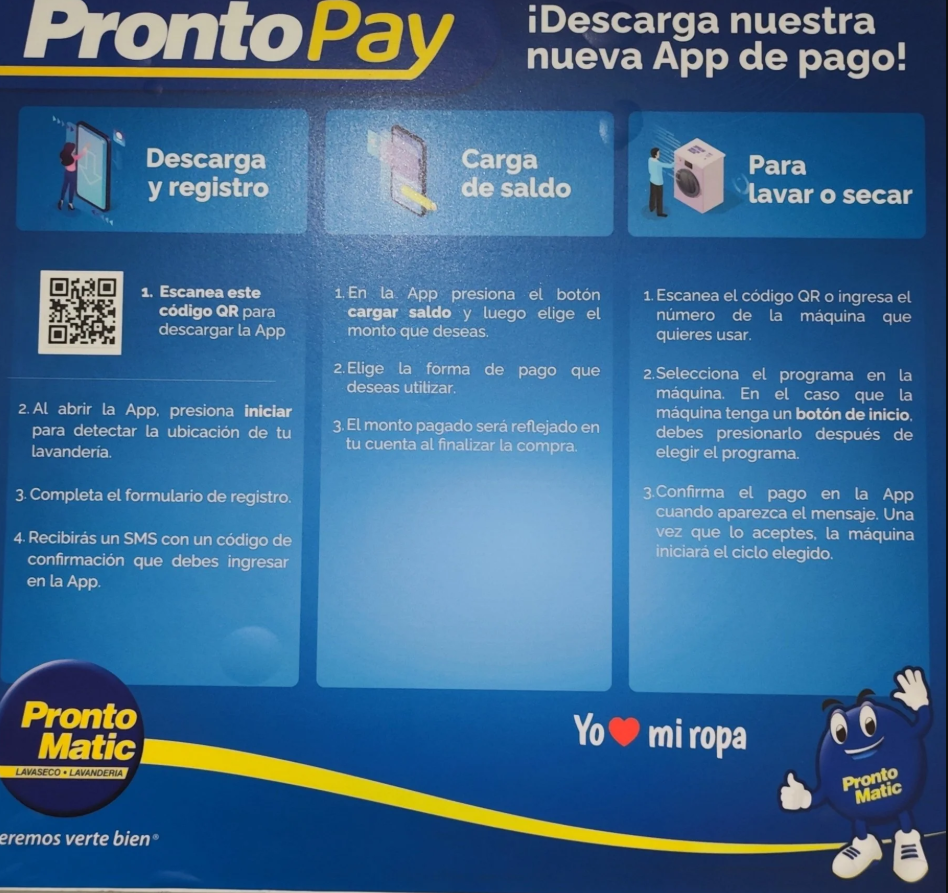
Instructional Banner
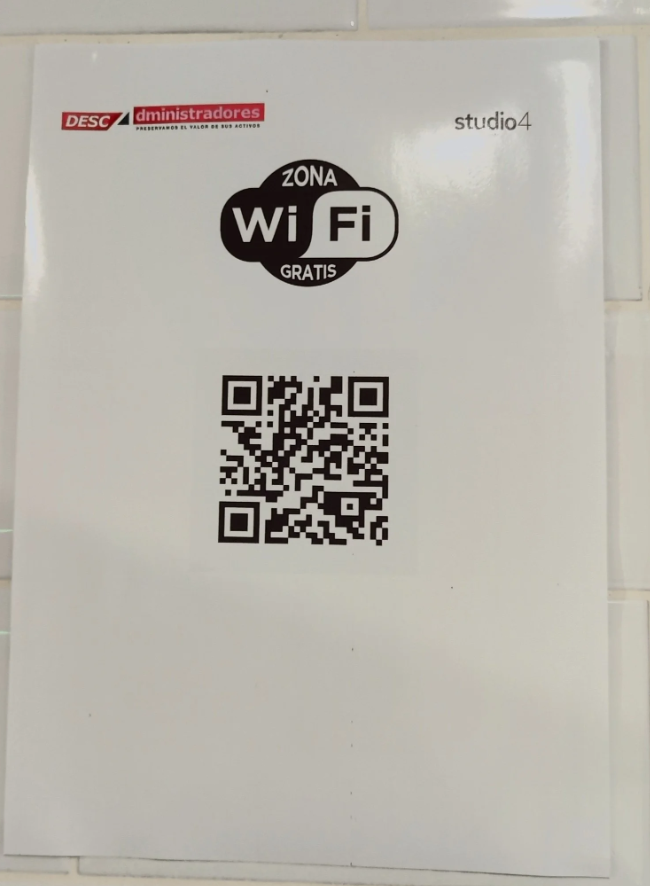
You can also find a banner with a QR code in the Laundry Center that you can scan with your phone to quickly and easily download the application.
Wifi
The Laundry Room is in the basement, so the cellular signal may not always be completely stable. For this reason, you will also find a QR code that will allow you to connect to a Wi-Fi network to enhance your experience.
Step 2
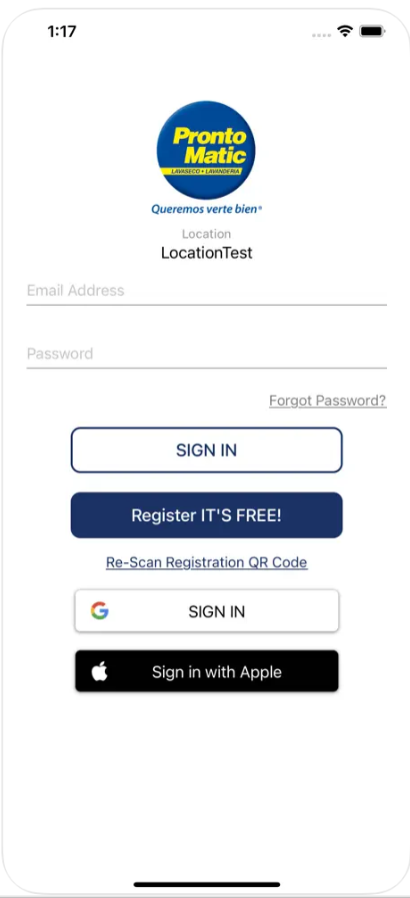
Upon opening the ProntoPay Peru application, press "Start" to detect the laundry's location.
Step 3
It's time to create a new account and complete the registration form.
Remember that the equipment can only be used through the app.
You will shortly receive a confirmation code via SMS. You will need to enter this code into the app when prompted.
Step 4
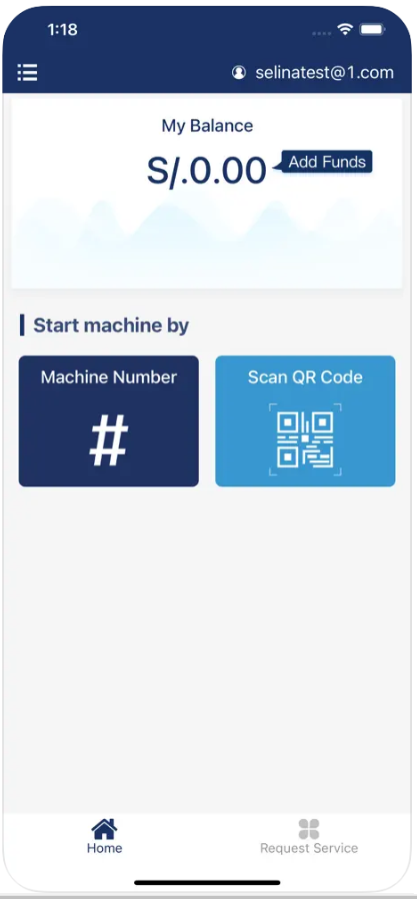
Immediately afterward, press the Load Balance button and then choose the amount of money you want to preload.
Step 5
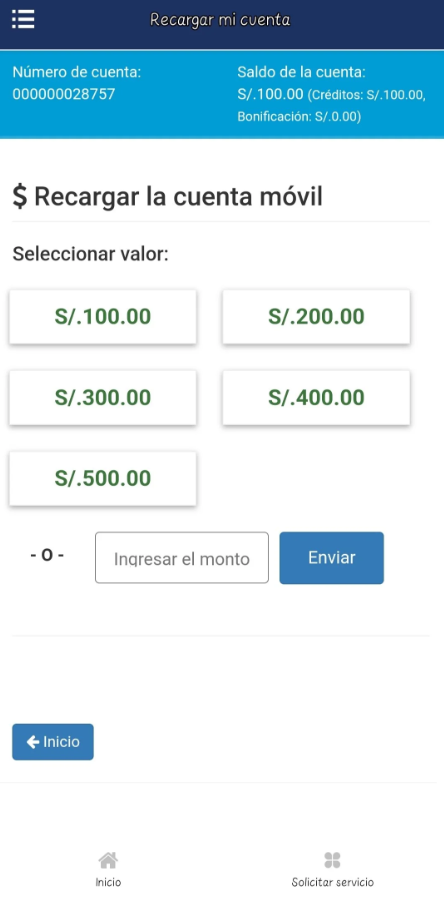
You can see a series of pre-established amounts, but you can also add a specific one.
Step 6
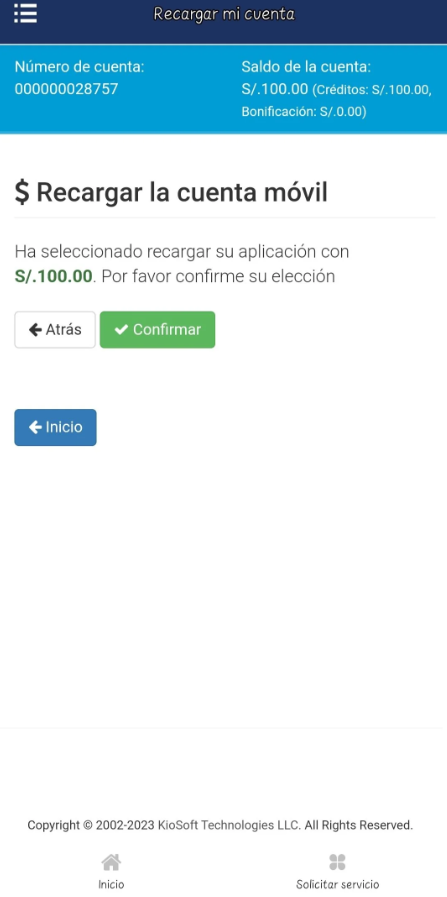
After selecting the amount, proceed to Confirm the transaction.
Step 7
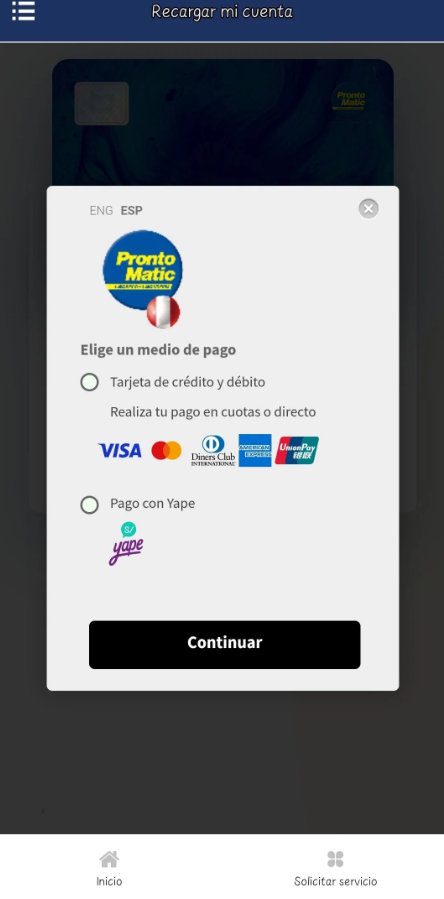
Choose the payment method you want to use.
The app can work with any Credit or Debit Card. And for local visitors, it can accept payments through the Yape (digital wallet) system.
The amount paid will be reflected in your bank account at the end of the purchase.
Step 8: Washing & Drying Process
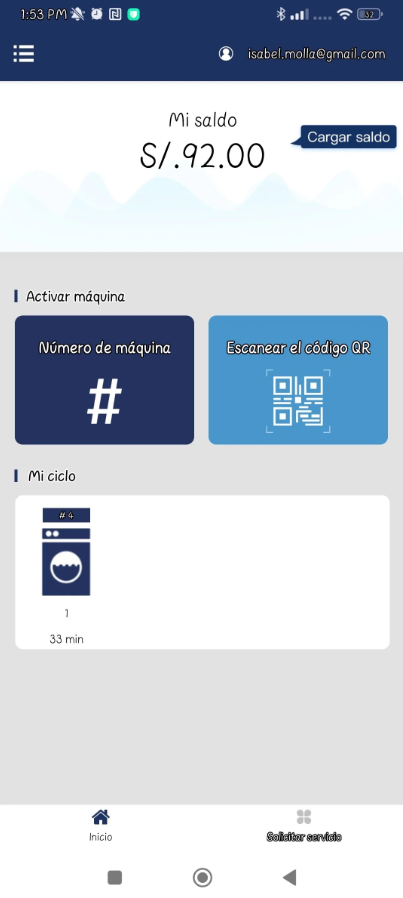
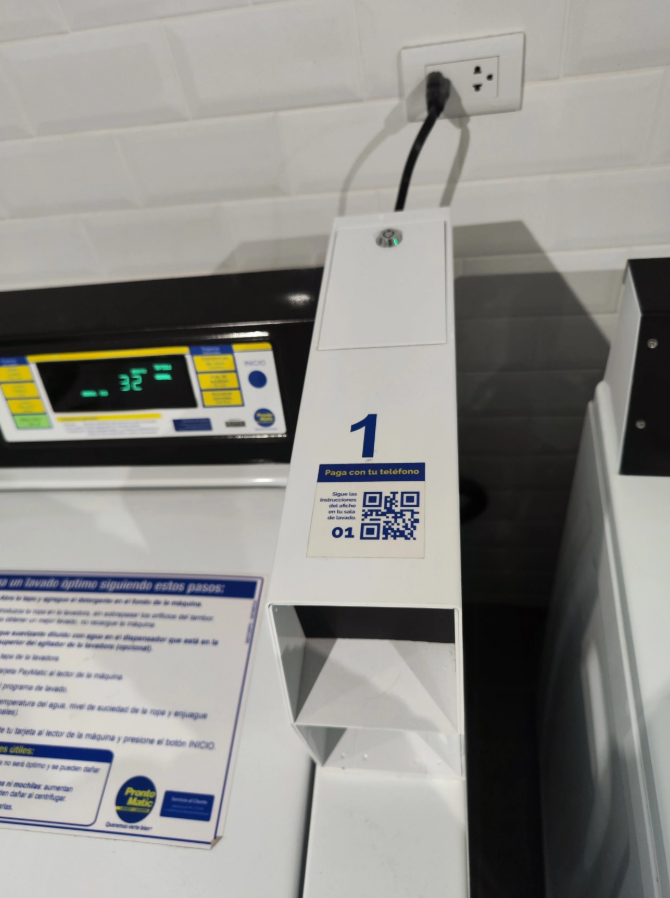
Scan the QR code on the machine you want to use or enter the machine's number.
Step 9
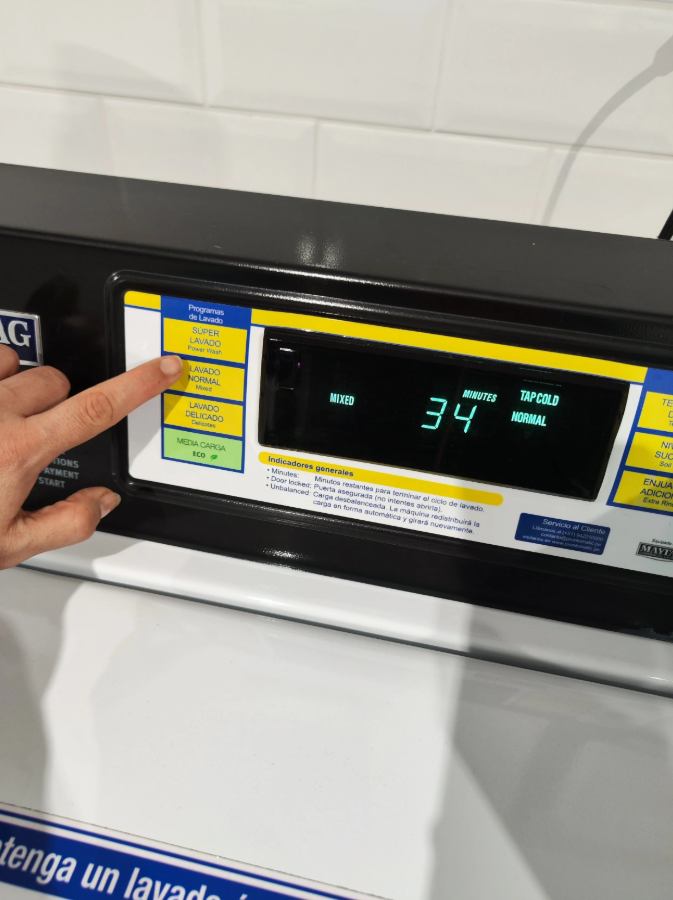
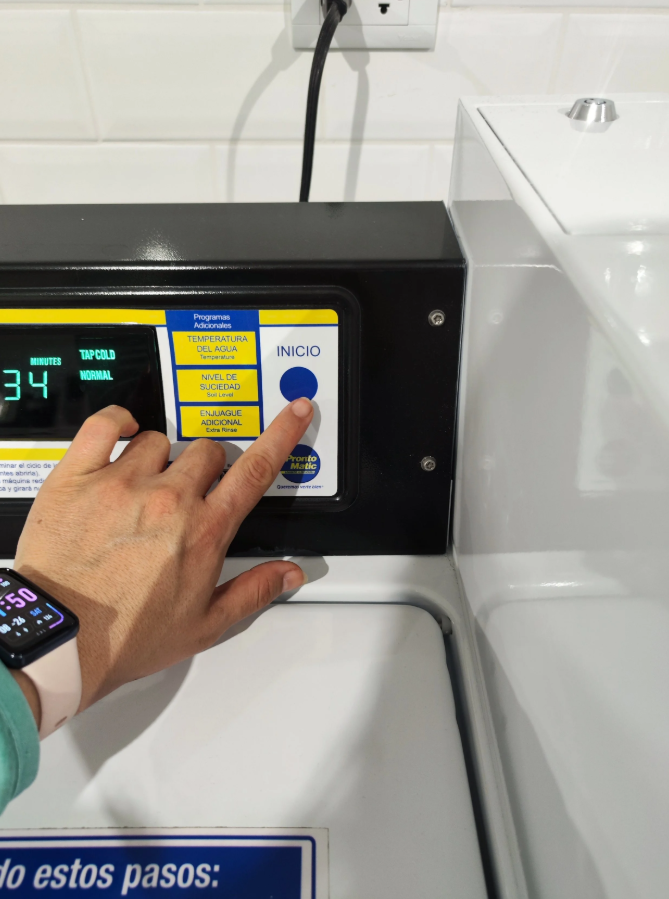
Select the Washing or Drying program you want to use directly on the corresponding machine's panel.
Step 10
Now, simply press the Start button to confirm the start of the Washing or Drying process.
Step 11
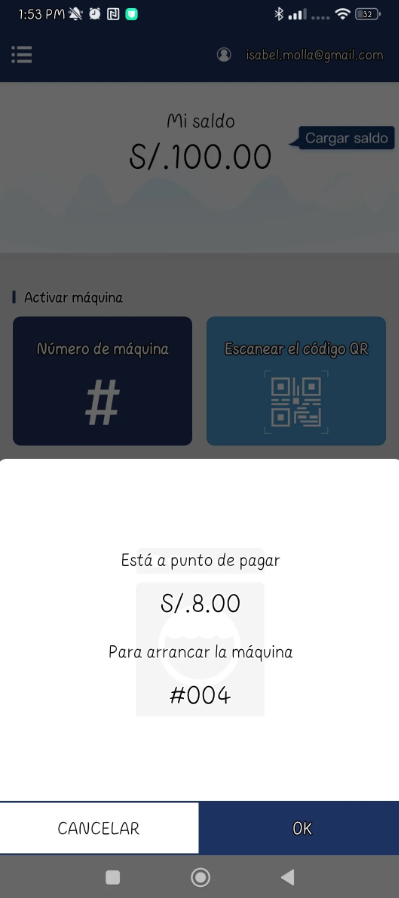
Confirm the amount (payment) corresponding to your laundry load and selected program directly in the App as soon as the message appears after starting the process.
Once you accept it, the machine will start the chosen cycle.
Step 12
In the App, you can see in real-time the count and the estimated duration of the assigned washing or drying cycle.